
April 30, 2025, 1 Comment
How to Buy CCcam Server: Step-by-Step Guide (2026)
How to Buy CCcam Server?
A CCcam server is a specialized service that allows users to access encrypted satellite television channels by sharing decryption keys over the internet. When you buy CCcam server access, this enables seamless viewing of premium TV content on compatible satellite receivers4.
Steps to Buy a CCcam Server
- Choose a Reliable Provider
- Research and compare providers based on stability, customer support and channel selection.
- Examples of reputable providers include CCcam.eu, getcccam.com, and instantcccam.com.
- Select a Subscription Package
- Providers offer various packages based on duration (e.g., 1 week, 3 months, 12 months), number of lines (Clines), and channel options.
- Prices are competitive, with options for trials or longer-term subscriptions. For example, cccam.eu offers a 12-month subscription with 2 Clines for €14.95, including instant delivery and anti-freeze technology.
- Register an Account
- Visit the provider’s website and create an account by providing basic information such as your email and a password.
- Make Payment
- Select your preferred package and proceed to payment. Most providers accept secure payment methods like PayPal or credit cards, and some offer instant activation upon payment.
- Receive Your CCcam Lines
- After payment, you will receive your CCcam lines (a set of codes) via email or through your account dashboard. These are necessary to configure your satellite receiver.
- Configure Your Satellite Receiver
- Enter the provided CCcam lines into your satellite receiver’s network settings. This step may vary depending on your receiver model, but generally involves accessing the network menu and inputting the server details.
- Test and Enjoy
- Once configured, test the connection to ensure you can access the encrypted channels. If there are any issues, reputable providers offer customer support to assist you.
Tips for a Smooth Experience
- Trial First: Many providers offer free or low-cost trial periods-use these to test service quality before committing to a long-term plan.
- Check for Anti-Freeze Technology: This ensures stable viewing with minimal interruptions.
- Customer Support: Opt for providers with responsive support in case you encounter technical issues.
- Security: Choose providers that use secure servers and encrypted connections for your safety.
Summary Table: Popular CCcam Providers
| Provider | Trial Available | Subscription Options | Key Features | Support |
|---|---|---|---|---|
| CCcam.eu | Yes | 12 month to Lifetime | Premium server, anti-freeze, 24/7 uptime | Online/email |
| Getcccam | Yes (48h) | 6, 12, 24 months | Fast zapping, anti-freeze, instant delivery | 10am-10pm |
| InstantCCcam | Not specified | Various | Low cost, Europe-focused |
Conclusion
Buying a CCcam server is straightforward: choose a reputable provider, select your desired package, register, pay, and configure your receiver using the provided CCcam lines. Always prioritize reliability, security, and customer support to ensure the best viewing experience1.
Frequently asked questions
How do I buy CCcam server access?
Pick a subscription package on cccam.eu, complete the secure checkout with your email address, and the rest is automated. Your server lines are generated as soon as the payment is confirmed, so the whole process takes only a few minutes.
How long does delivery take after payment?
Delivery is instant and fully automated. As soon as your payment is confirmed, your CCcam lines are sent to your email address, and you can also view them any time in the customer portal at portal.cccam.eu.
What exactly do I receive after buying?
You receive one account with two server lines, Server 1 and Server 2. Add both lines to the same receiver so you always have a backup connection if one server is busy or under maintenance.
Can I test the service before buying?
Yes. You can request a free 48-hour trial at portal.cccam.eu/trial and no payment card is required. It is the easiest way to check channel stability and zapping speed on your own receiver before choosing a subscription.
Can I use one subscription on several receivers at the same time?
No. Each subscription is intended for fair use on one receiver watching one channel at a time. If you need service for additional receivers, simply order a separate subscription for each one.

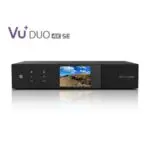




Best OSCam Receiver In 2025: The Ultimate Guide To Buy OSCam | Europe CCcam Server
April 30, 2025[…] Look for Value: Many great options exist across price ranges, from premium Dreambox and Vu+ to budget-friendly Zgemma and Octagon models1. […]
Comments are closed.